Get Started with Blockfrost
Use the hosted Blockfrost API by creating a free account at blockfrost.io/auth/signin.
Sign up
Create your project
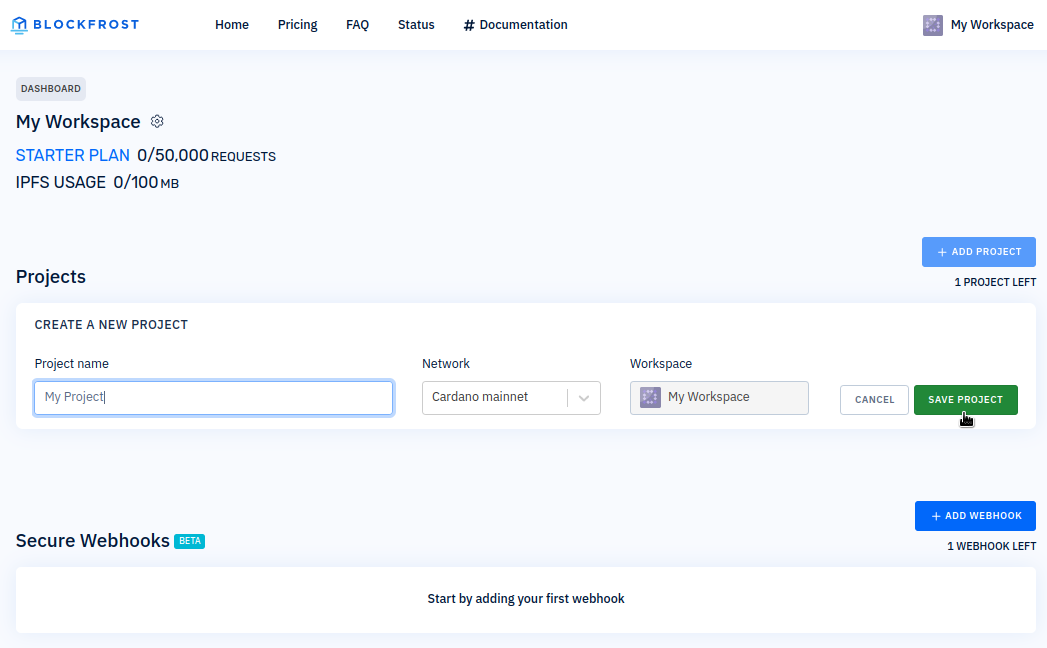
After signing in, create your first project:
- Click + ADD PROJECT
- Choose a project name
- Select the network (mainnet, preprod, or preview)
- Click SAVE PROJECT
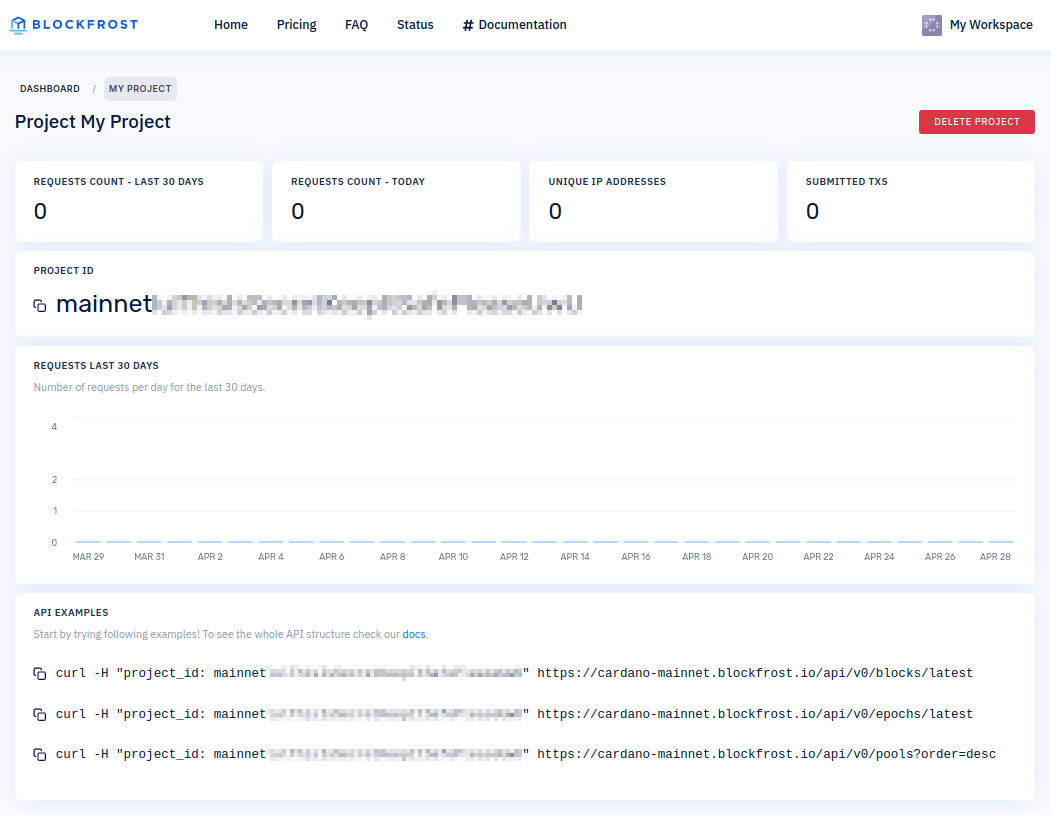
You'll receive a unique project_id (API key) for accessing the API.
warning
Keep your project_id secret. Never commit it to public repositories or embed in client-side code. Use environment variables and store it in your backend to prevent unauthorized access. Ideally, set up your own application backend to store your project_id securely, avoiding potential leaks. Otherwise, unauthorized individuals could exploit your token.
A project provides API access to a specific network. Each project has its own project_id for API authentication.
Use SDKs
Blockfrost supports 15+ programming languages with official SDKs:
- blockfrost-js - JavaScript/TypeScript
- blockfrost-python - Python
- blockfrost-rust - Rust
- blockfrost-go - Go
- blockfrost-haskell - Haskell
- blockfrost-java - Java
- blockfrost-kotlin - Kotlin
- blockfrost-scala - Scala
- blockfrost-swift - Swift
- blockfrost-ruby - Ruby
- blockfrost-php - PHP
- blockfrost-elixir - Elixir
- blockfrost-dotnet - .NET
- blockfrost-crystal - Crystal
- blockfrost-arduino - Arduino
Next steps
- Explore Cardano APIs - Query blockchain data
- Set up webhooks - Subscribe to blockchain events
- Visit Blockfrost.dev - API documentation and examples